Sprint Dates for Jira
Sprint start and end dates as real, searchable Jira fields on every work item in a sprint.
Jira knows when every sprint starts and ends. It just will not let you search by it.
Sprint Dates adds two fields — Sprint Start Date and Sprint End Date — to every work item in a sprint. They are ordinary indexed Jira date fields, so they behave like any other date field in the product.
"Sprint End Date" <= endOfMonth() AND status != Done
"Sprint Start Date" >= startOfMonth() AND assignee = currentUser()
ORDER BY "Sprint Start Date" ASC
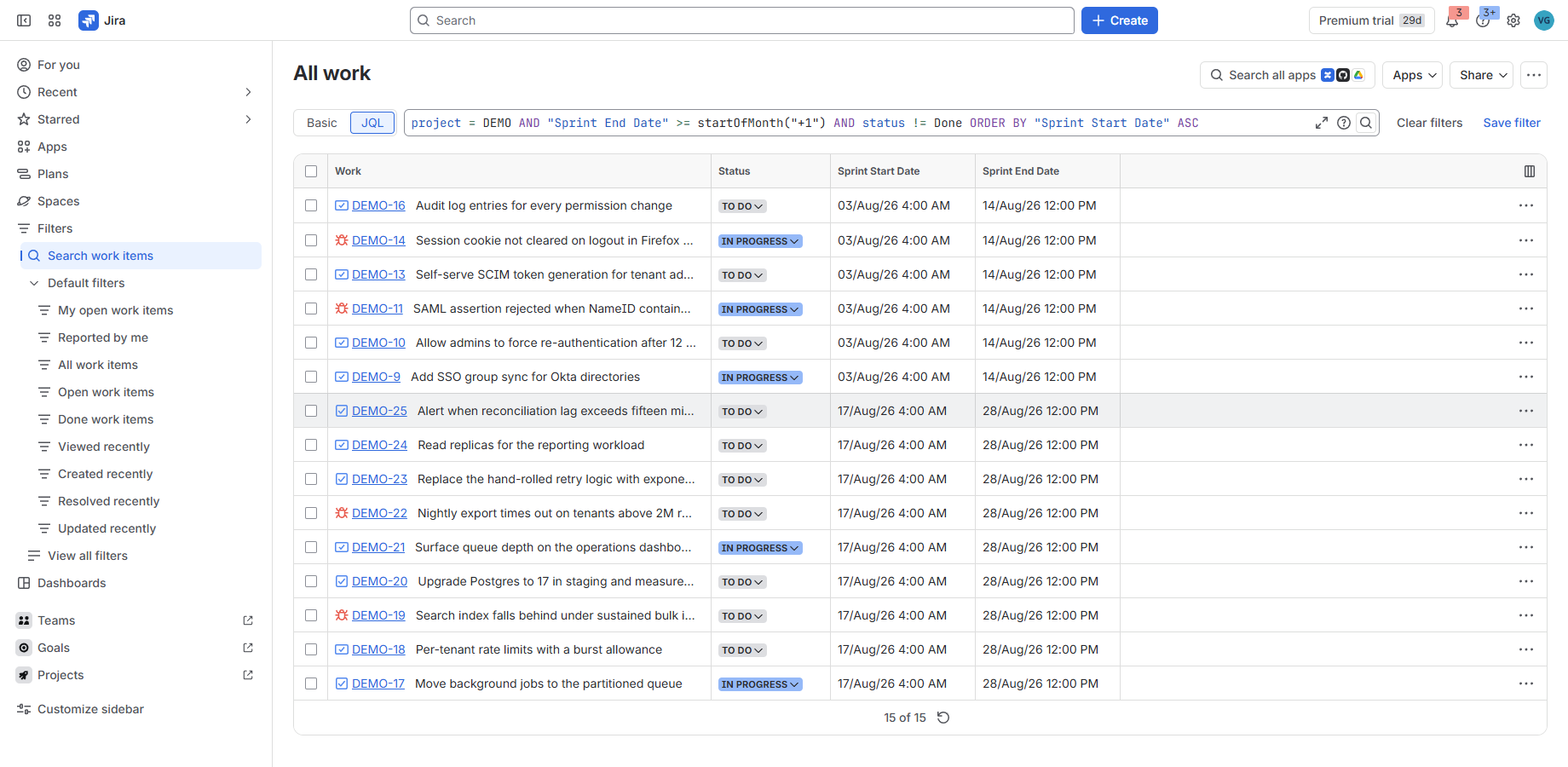
Where the fields work
| Surface | Supported |
|---|---|
| JQL search, including date ranges | Yes |
Sorting (ORDER BY) by real value |
Yes |
| Saved filters | Yes |
| Navigator columns | Yes |
| CSV export | Yes |
| On the work item itself | Yes, in the context column |
Board columns and dashboard gadgets are not claimed. They may well work; we have not verified them, and this site does not state anything we have not watched happen.
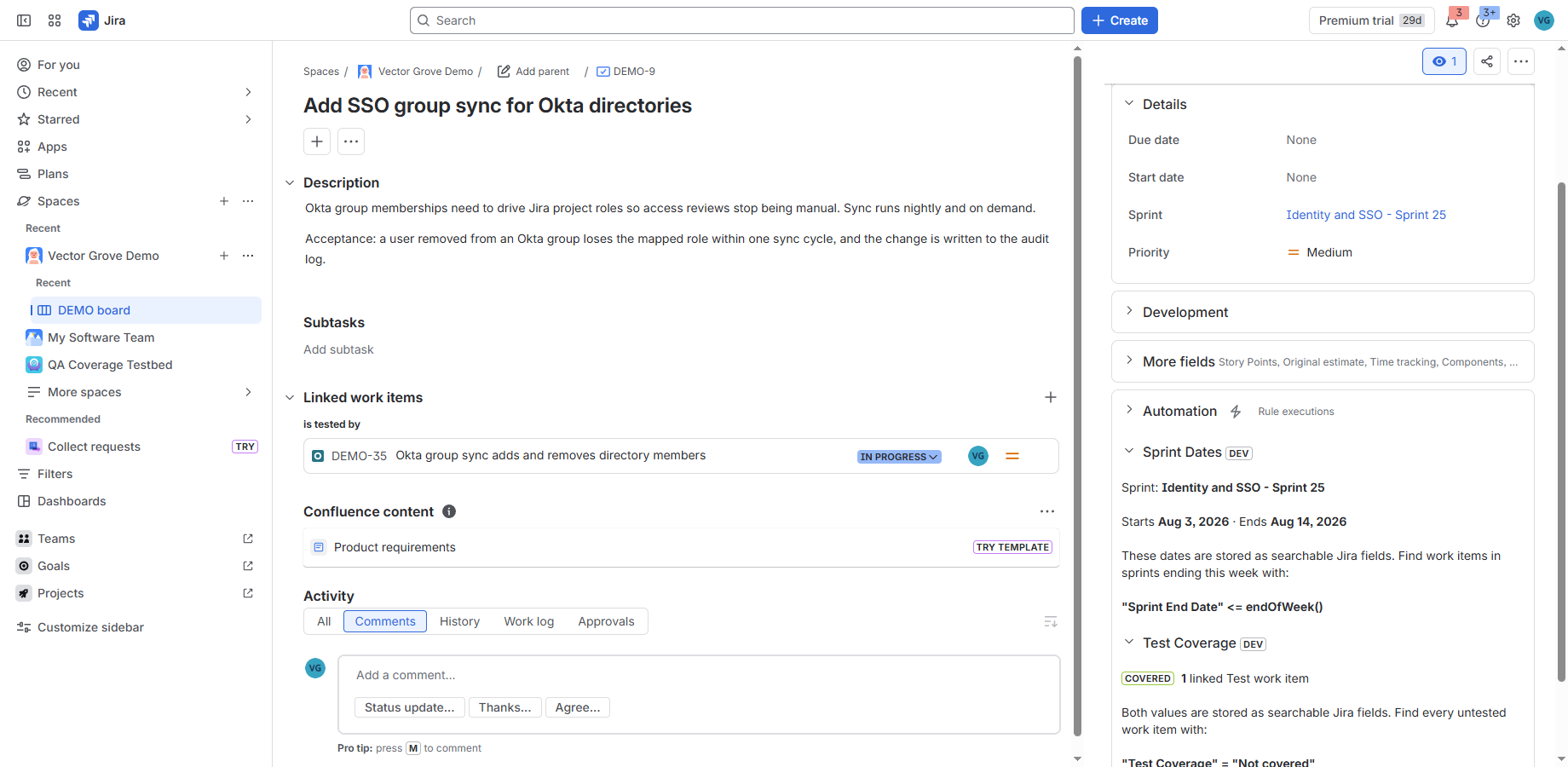
DEV badge is
Jira marking an app installed from a development environment; it does not appear on a
Marketplace install.How the fields stay correct
Move a work item into, out of, or between sprints and its dates follow within seconds. This is event-driven — there is nothing to trigger and no automation rule to maintain.
Change a sprint’s own schedule, or start a sprint that already has work items in it, and those items are brought into line by the hourly reconciliation. Jira raises no event when a sprint’s dates change, so this path is a sweep rather than a trigger; in the worst case the fields are up to an hour behind.
That distinction is stated plainly because it is the sort of thing that is annoying to discover after installing. Membership changes: seconds. Schedule changes and sprint starts: within the hour.
Why the app exists
Making sprint dates searchable is one of the most-requested items in Jira’s public backlog — JRACLOUD-72007, open since 2018 with over 1,300 votes. It is still open.
What it stores
Sprint identifiers and their start and end dates, in Atlassian-hosted storage, so that schedule changes can be detected. Nothing else. It never reads work item summaries, descriptions, comments or attachments — only which sprint an item belongs to.
Full detail on the security and data page.
Pricing
This app is not on the Atlassian Marketplace yet, so there is nothing to buy today and no rate is binding anywhere. What follows is what the pricing will be when it lists.
Free on Jira sites of 10 users or fewer, per Atlassian’s Marketplace rules. Above that, per user per month, with the rate falling as the site grows. The Marketplace listing will carry the binding rates, and this page will link to it once it is live.
Support
Questions and bug reports: issue tracker. See the support page for what to include.